
Engineered for Zero-Lag Control & Total Security
From hardware-level Win32 input injection and adaptive quality presets to chunked dual-pane file transfers and background command execution, explore how SimpleViewer outperforms legacy remote desktop tools.
Five Integrated Workspaces in One Lightweight Binary
Both the host agent and viewer UI are unified inside a single application—switch effortlessly between remote desktop streaming, unattended computers, file transfer, remote shell, and security preferences.
Instant 9-Digit Device ID & 3-Way Authentication
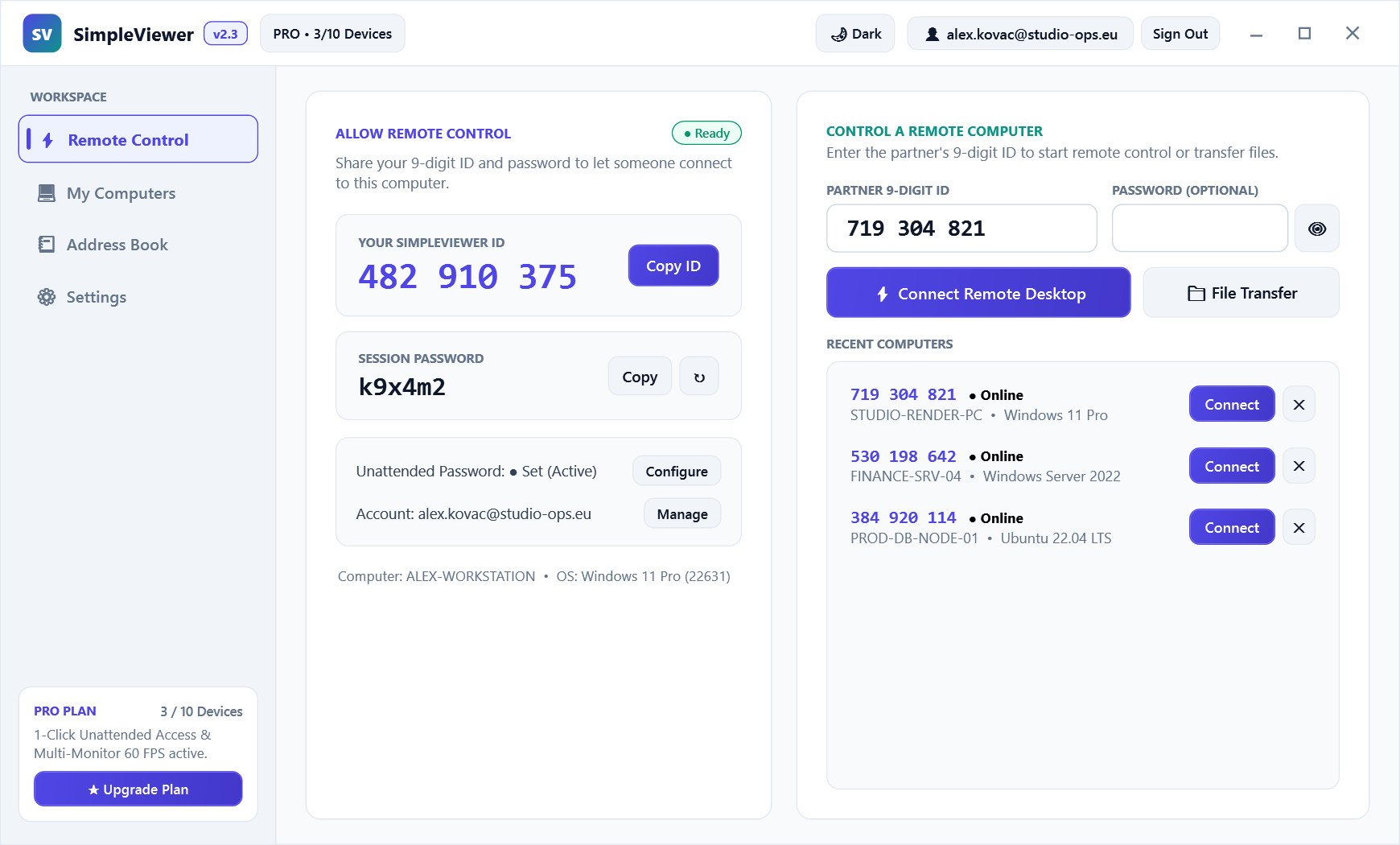
Every machine receives a persistent 9-digit Device ID (XXX XXX XXX) bound to its hardware fingerprint. Share your ID and rotating 6-character temporary password for instant support, or leave the password blank to trigger an interactive Accept/Reject prompt on the remote screen.
- One-click Copy ID & Regenerate Temporary Password
- Searchable Recent Connections history with status badges
- Quality presets: Speed (low bandwidth), Balanced, and HighQuality (4K crystal text)
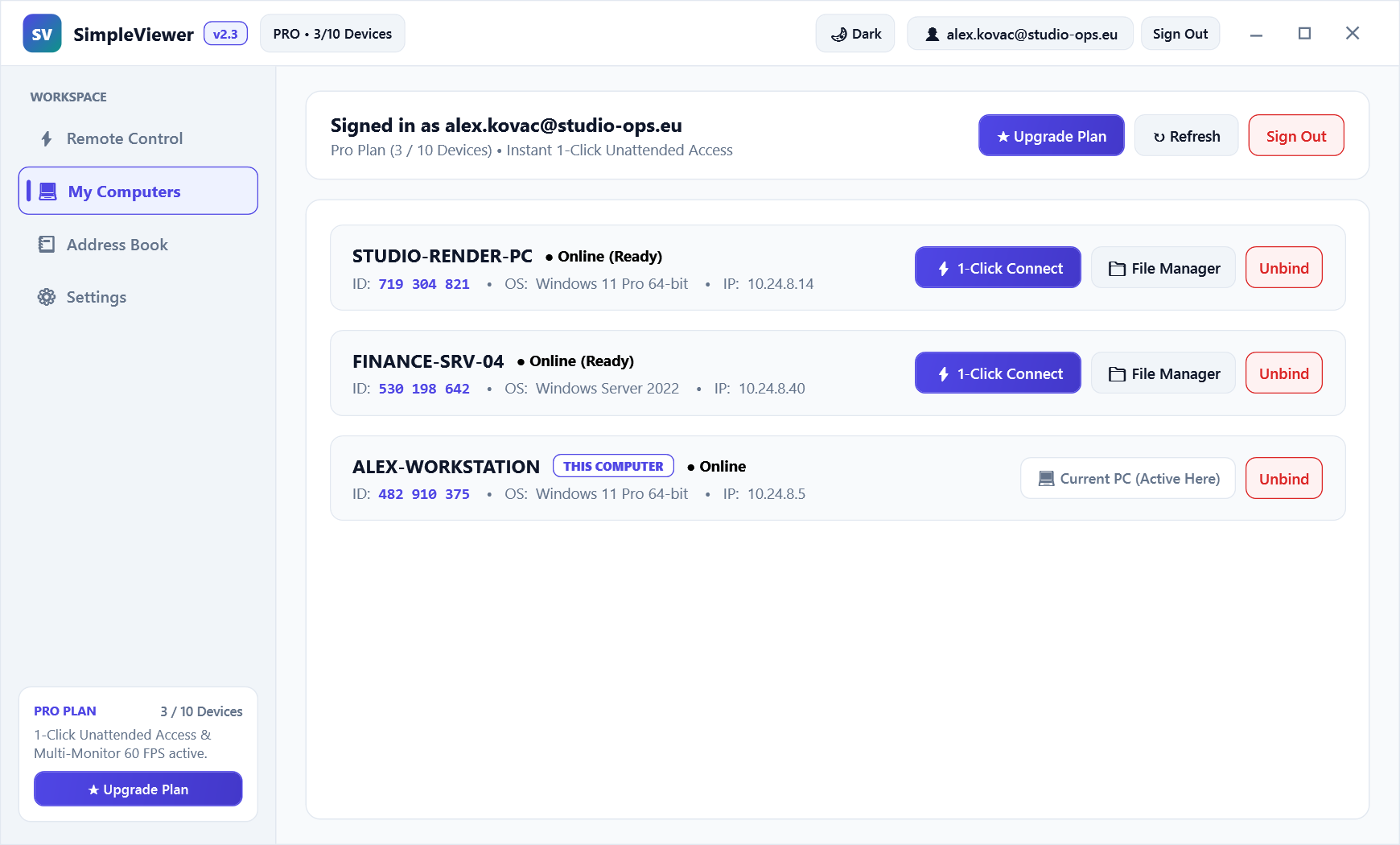
My Computers — 1-Click Unattended Fleet
Sign in via Google OAuth (Continue with Google) on your office desktop, home workstation, and travel laptop. All computers linked to your account automatically sync to your address book with live online/offline telemetry.
- Zero password prompts when connecting between your own bound machines
- Rename devices (
Studio-Render-PC,Finance-SQL-01) and attach notes - Enforced device-slot limits per plan with instant slot release in Web Admin
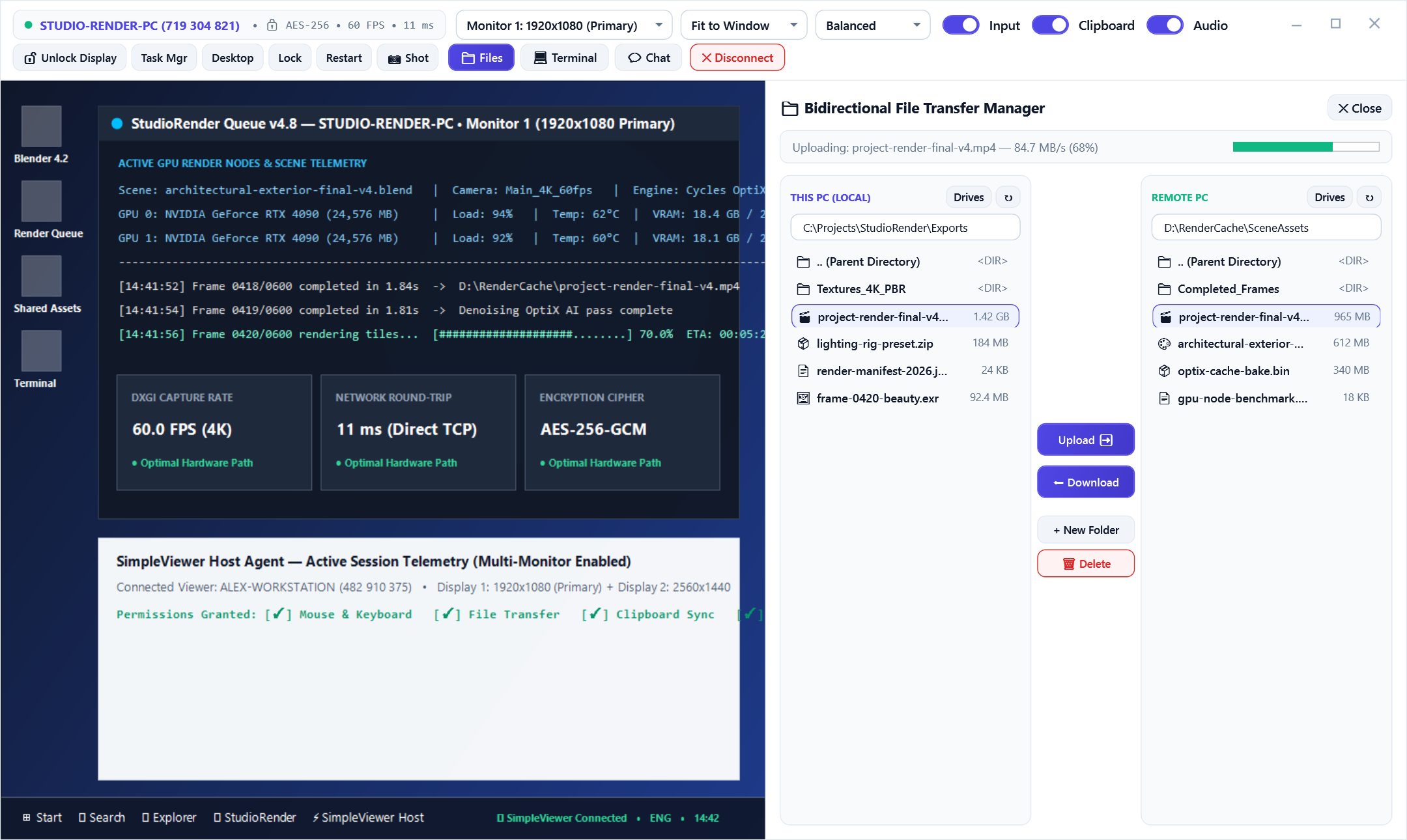
Bidirectional Dual-Pane File Transfer
Transfer installers, log bundles, CAD assets, or entire project folders between Local and Remote disks without opening a full screen-sharing window—or dock the File Manager right inside an active remote session.
- Side-by-side Local Drives (
C:\,D:\) and Remote Drives navigation - Chunked binary streaming with live throughput & progress bar
- Create folders, delete temporary artifacts, and verify file sizes before transfer
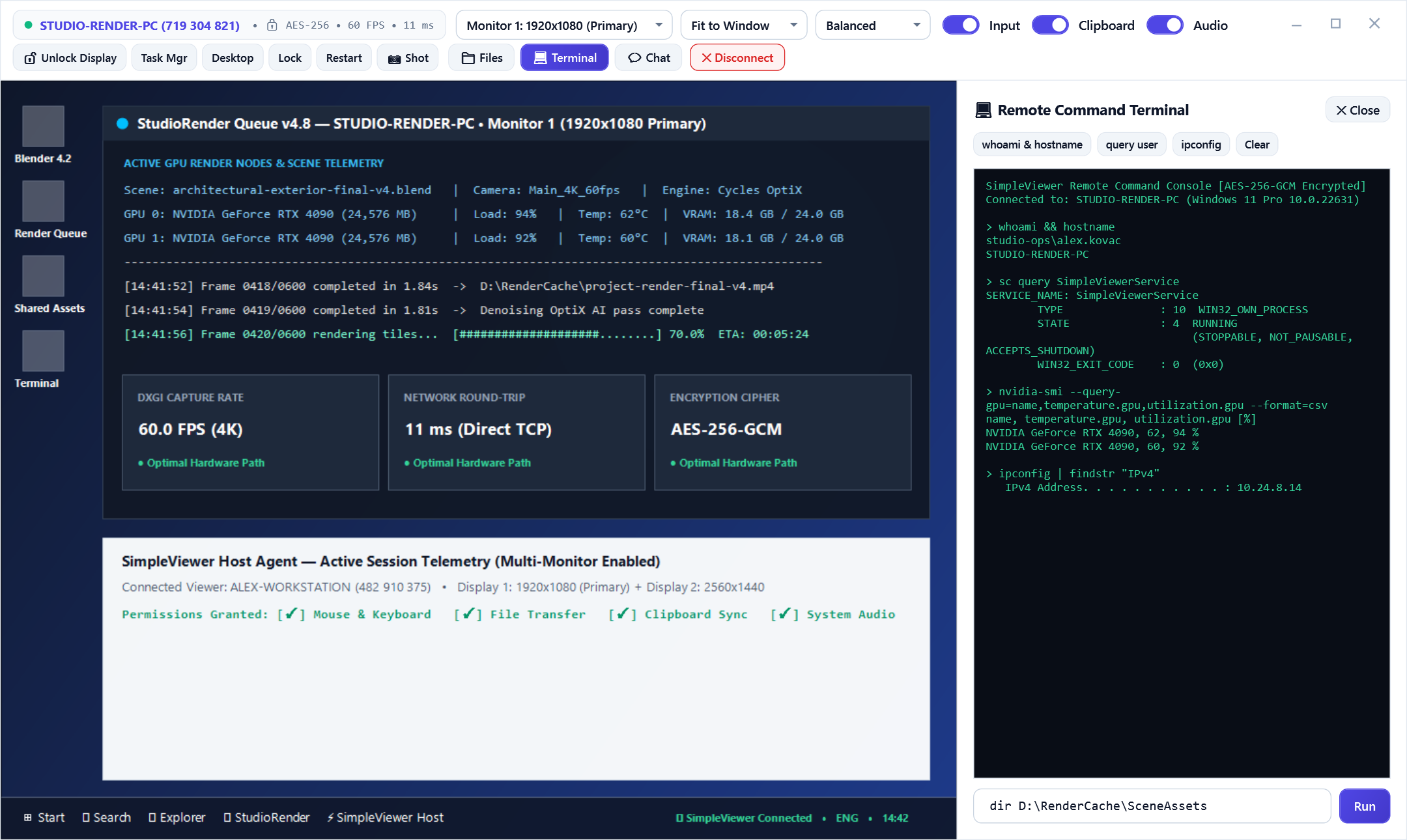
Remote Command Terminal & Quick System Actions
Need to flush DNS, inspect running processes, or restart a stuck Windows service without disturbing the employee working on the machine? Open the Remote Terminal tab for direct cmd.exe / shell execution.
- Real-time
stdoutandstderrstreaming back to your console - 1-Click Quick System Actions: Task Manager, Show Desktop, Lock PC, Restart PC
- Live Session Chat window + instant PNG Screenshot capture
Unattended Access & Session Defaults
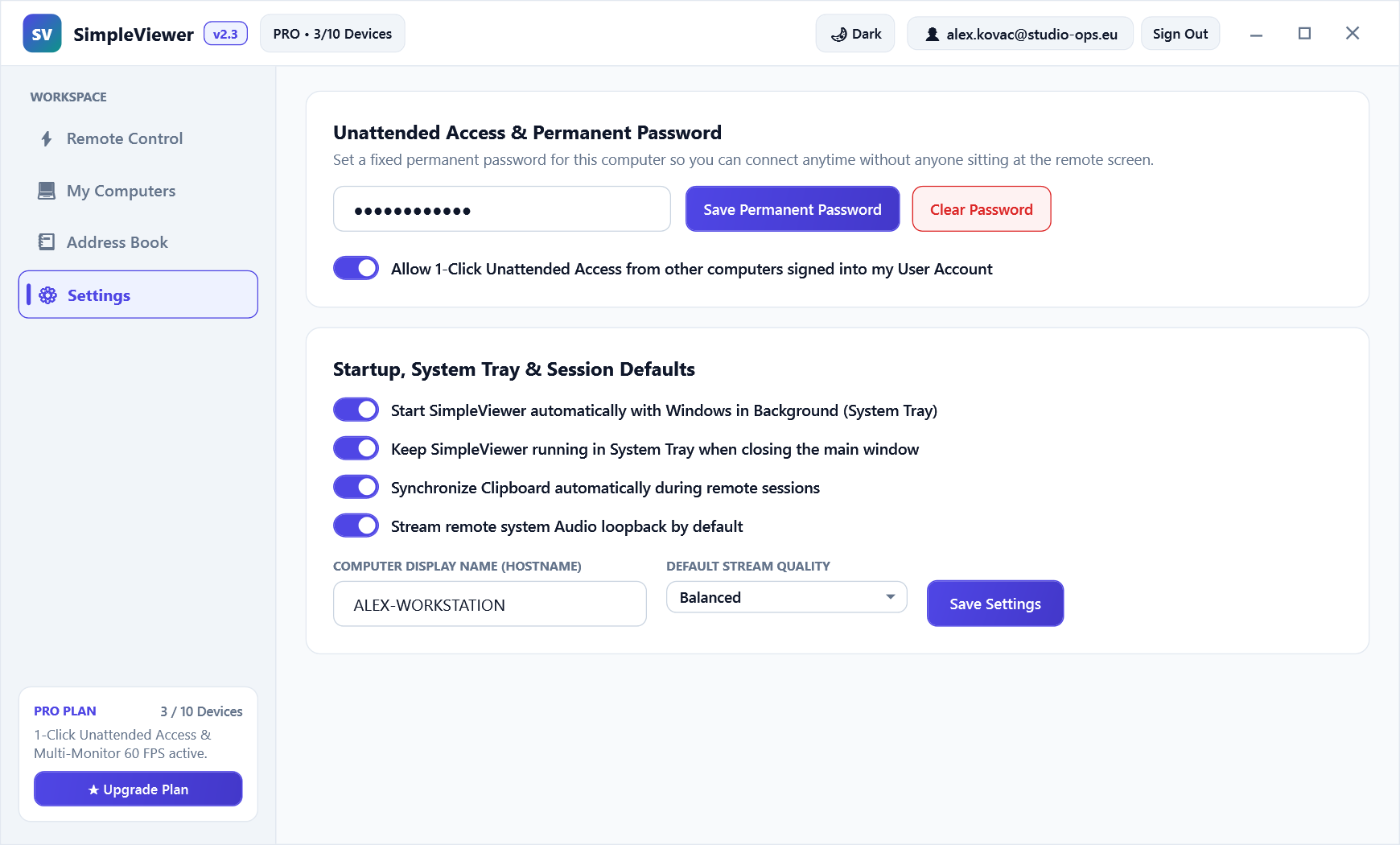
Host owners never lose sovereignty over their machine. Configure permanent unattended access, Windows background startup, clipboard synchronization, and default WASAPI audio streaming directly in the Settings workspace.
- Independently toggle Mouse/Keyboard, File Transfer, Clipboard, and Audio
- Set permanent Unattended Password with local SHA-256 verification
- Configure "Start with Windows" and automatic unattended background service
Built on Modern Systems Engineering
High-Speed Binary TCP Relay
Separates control signaling from high-throughput video, audio, and file transfer streams to eliminate head-of-line blocking with zero setup required.
Multi-Profile Isolation
Launch multiple isolated instances on the same machine via --profile <name> for staging, testing, or multi-tenant support workflows.
Auto-Update Engine
Clients check /api/health for SHA-256 binary hashes and can be updated individually or across the entire fleet with one click from Web Admin.
Cross-OS Parity
Native builds for Windows 10/11 (.exe), Linux x86_64 (SimpleViewer-linux-x64), and Android (SimpleViewer.apk) using a unified protocol.